
Download Graabr – Free Screen Capture & Instant Sharing Tool for Windows, Mac, Android, iOS
Looking for a fast, secure, and hassle-free way to capture and share your screen? Graabr is the ultimate lightweight screen capture tool designed for instant online sharing. Whether you're troubleshooting a software issue, showing off your new desktop wallpaper, or sending a quick screenshot to a colleague, Graabr makes it effortless.
With just two clicks, you can capture any area of your screen and publish it online instantly. No complicated settings, no downloads, no delays — just pure simplicity. The app is available for Windows, Mac, Android, and iOS, making it perfect for users across all platforms.
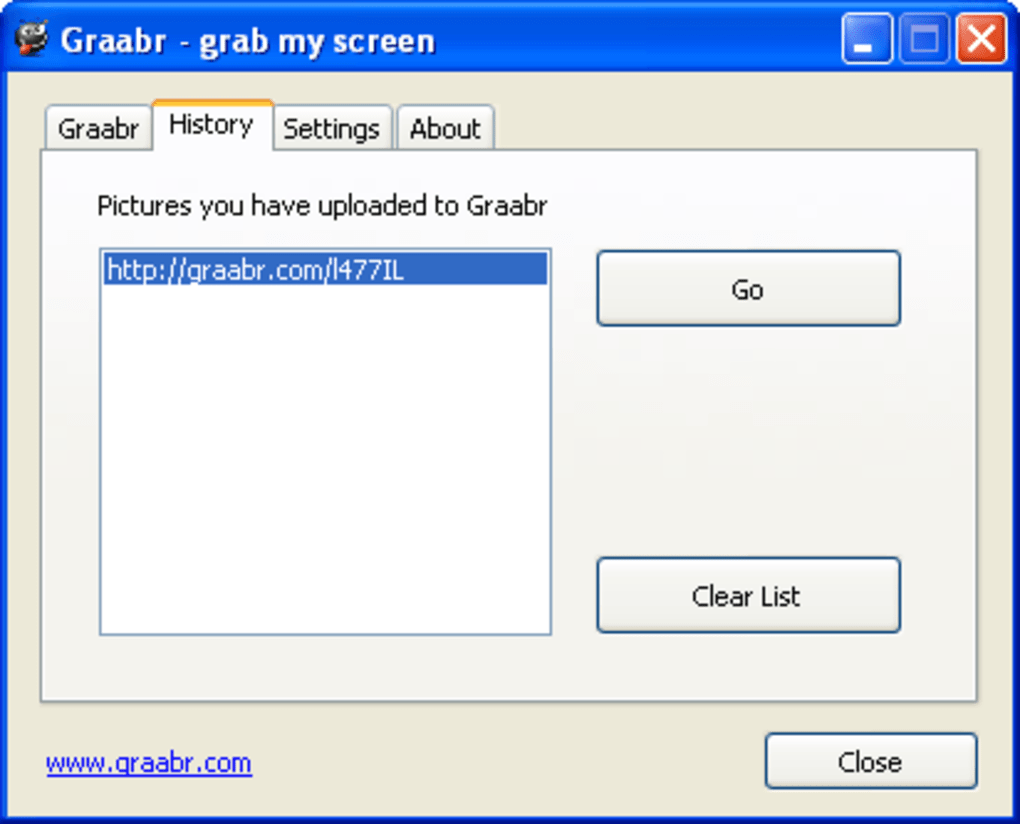
All captured images are automatically saved to graabr.com with unique URLs, allowing you to share them instantly on social media, email, or messaging apps. Graabr also maintains a personal history of all your shared images, so you can revisit and re-share them anytime. Ideal for technical support, remote collaboration, or casual sharing, Graabr delivers a seamless experience with minimal effort.
Download Graabr today and unlock the power of instant screen sharing — fast, free, and secure.
Key Features of Graabr – Why It Stands Out
Graabr isn’t just another screen capture tool — it’s a streamlined solution built for speed and simplicity. One of its standout features is the one-click upload functionality. After selecting a custom area of your screen, you can publish the image to the web with a single click.
This eliminates the need to save files locally, edit them, or manually attach them to emails. Every captured screenshot gets a unique, shareable URL hosted on graabr.com, which you can copy and paste instantly into any platform. Whether you're posting on Twitter, Facebook, Reddit, Tumblr, or LinkedIn, Graabr ensures your image is accessible and ready to go.
Another major advantage is the cross-device accessibility. Your image history is stored in the cloud, so you can access it from any computer, tablet, or smartphone. This is especially useful if you’re switching between devices during a support session or sharing content on the go.
The app also supports multiple platforms, including Windows, Mac, Android, and iOS, ensuring consistent performance no matter your device. Graabr is lightweight and fast — it runs in the background without slowing down your system, making it perfect for users who value efficiency. Plus, it’s completely free to use, with no hidden fees or premium tiers.
The lack of cluttered menus or complex settings means even first-time users can get started in seconds. Whether you're a student, professional, or casual user, Graabr simplifies screen sharing without compromising on quality or reliability.
Security is also a priority. All images are hosted securely on encrypted servers, and you have full control over sharing. If you need to delete a screenshot, you can do so from your history page.
There’s no mandatory account creation — though you can sign up to manage your uploads more efficiently. Graabr respects user privacy and doesn’t collect unnecessary data. For those who value both speed and safety, Graabr strikes the perfect balance between functionality and security.
It’s the ideal tool for quick technical support, remote collaboration, or even social media content creation.
How to Install and Use Graabr on Any Device
Getting started with Graabr is incredibly simple, regardless of your operating system. To download Graabr, visit the official website at graabr.com and select the version that matches your device. For Windows and Mac users, you’ll find a small installer file that takes less than a minute to run. The setup process is straightforward — just follow the on-screen prompts and allow the app to run in the background. Once installed, you’ll see a small icon in your system tray (Windows) or menu bar (Mac), ready for use.
On Android and iOS, head to the Google Play Store or Apple App Store and search for "Graabr." The app is free to download and install. After installation, open it and grant the necessary permissions, such as screen capture access. On iOS, you may need to enable screen recording in the Settings under "Privacy & Security." Once set up, launching Graabr brings up a transparent overlay that lets you select any area of your screen. Simply drag to define the capture zone, then click the "Upload" button. The image is processed and uploaded instantly, and a unique URL appears on-screen.
From there, you can copy the link, share it via messaging apps like WhatsApp or Telegram, or paste it directly into an email or social media post. The entire process takes less than 10 seconds. If you’re using the desktop version, you can also right-click the Graabr icon to access your image history, where all past captures are stored with timestamps and links.
This feature is invaluable for tracking support tickets or revisiting shared content. The app also supports keyboard shortcuts (e.g., Ctrl+Shift+G on Windows) for even faster access. Whether you're on a laptop, tablet, or phone, Graabr ensures a consistent and intuitive experience across all platforms.
Compatibility & System Requirements
Graabr is designed with cross-platform compatibility in mind, making it one of the most accessible screen capture tools available today. The software supports Windows 7 and later, including Windows 10 and Windows 11, ensuring broad accessibility for desktop users. For Mac users, Graabr works seamlessly on macOS 10.13 (High Sierra) and newer, including the latest Apple Silicon (M1/M2) models. The app is optimized for both Intel and Apple chips, so performance remains smooth regardless of your hardware.
For mobile users, Graabr is available on Android 6.0 (Marshmallow) and above, supporting a wide range of smartphones and tablets from major manufacturers. On iOS, the app is compatible with iPhone 6s and later, as well as all iPad models released since 2016. This ensures that even users with older devices can take advantage of instant screen sharing. The app is lightweight, requiring minimal storage space — typically less than 20MB on mobile and under 50MB on desktop — making it ideal for devices with limited resources.
Internet connectivity is the only essential requirement, as all uploads are processed online. No local storage is needed for the captured images, which are automatically saved to Graabr’s secure cloud servers. The app also works offline for selection and capture, but the upload function requires an active connection. There are no special hardware requirements, so even budget laptops and entry-level smartphones can run Graabr without performance issues. This universal compatibility, combined with a free pricing model, makes Graabr a top choice for users across all tech levels and device types.
Pros and Cons of Using Graabr
- Pros:
- Instant screen capture and upload in just two clicks
- Free to use with no hidden fees or ads
- Supports Windows, Mac, Android, and iOS
- Cloud-based image history accessible from any device
- Secure, encrypted hosting with user control over deletion
- Lightweight and fast, with minimal system impact
- Simple interface — no learning curve for beginners
- Cons:
- Limited to one capture mode (user-defined area)
- No built-in editing tools (e.g., cropping, annotations)
- Requires internet connection for upload and history access
- Mobile version may have occasional permission issues on iOS
- No offline storage option for captured images
Frequently Asked Questions (FAQ)
- Is Graabr completely free to use?
-
Graabr is completely free for all users. There are no subscription fees, premium features, or hidden costs. You can capture and share unlimited screenshots without any restrictions.
- Can I edit my screenshots before sharing?
-
Currently, Graabr does not include built-in editing tools like cropping, drawing, or adding text. However, you can use external apps to edit your images before uploading. Future updates may introduce basic editing features.
- How do I access my past screenshots?
-
All your captured images are saved in your personal history on graabr.com. Simply log in to your account (if you’ve created one) or visit the history page via the app to view, copy, or re-share any previous capture.
- Is my data secure when using Graabr?
-
Yes. All images are stored on encrypted servers, and you have full control over deletion. Graabr does not collect personal data beyond what’s necessary for functionality. Your privacy is protected by industry-standard security measures.
- Can I use Graabr without creating an account?
-
Yes. You can use Graabr without signing up. However, creating an account allows you to access your image history from any device and manage your uploads more efficiently.
Final Verdict: Why You Should Download Graabr Today
Graabr is more than just a screen capture tool — it’s a smart, efficient solution for anyone who needs to share visual content quickly and securely. With its minimalist design, cross-platform support, and instant upload feature, it stands out in a crowded market of screen capture apps. Whether you’re a tech support agent troubleshooting a bug, a student sharing a project, or a social media enthusiast posting a cool desktop, Graabr delivers exactly what you need: speed, simplicity, and reliability.
While it lacks advanced editing tools and is limited to one capture mode, its core purpose — instant screen sharing — is executed flawlessly. The fact that it’s free, secure, and available on Windows, Mac, Android, and iOS makes it an unbeatable choice for casual and professional users alike. If you’re tired of saving files, switching apps, or dealing with complex workflows, Graabr is the perfect upgrade.
Download Graabr now and experience the future of screen sharing — fast, simple, and always at your fingertips.







